Installation
Amurg ships pre-built binaries for Linux and macOS. A single command downloads and installs the binary, then an interactive wizard generates your configuration file.
Quick Install
Runtime
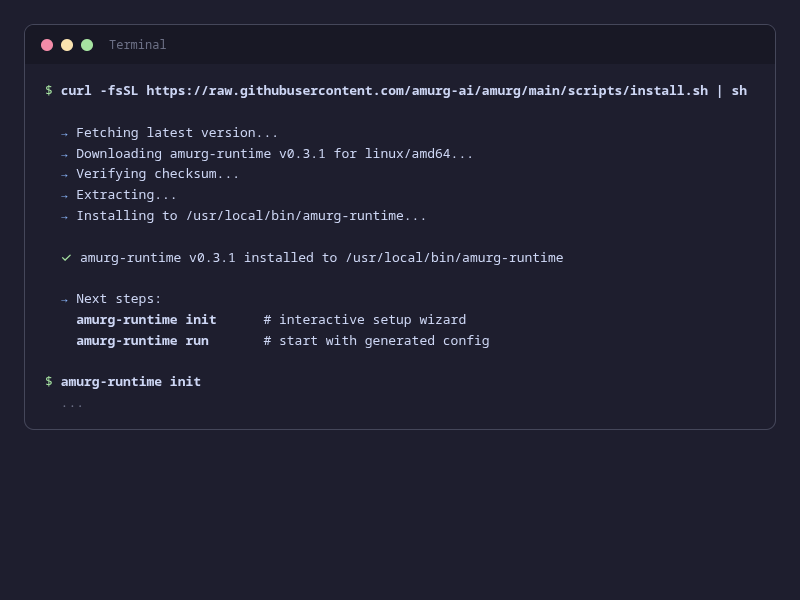
The runtime is the component that spawns and manages agent processes. Install it on any machine where you want to run agents:
curl -fsSL https://raw.githubusercontent.com/amurg-ai/amurg/main/scripts/install.sh | shThen run the setup wizard and start:
amurg-runtime init    # interactive wizard — generates config
amurg-runtime run     # start with generated config
Hub
The hub handles authentication, routing, and persistence. For self-hosted deployments where you prefer a binary over Docker:
curl -fsSL https://raw.githubusercontent.com/amurg-ai/amurg/main/scripts/install.sh | sh -s -- --binary=amurg-hubamurg-hub init # interactive wizard — generates secrets, admin user, runtime token
amurg-hub run # start with generated configInstall Options
The install script supports --version=X.Y.Z to pin a specific release, and --dir=/custom/path to change the install directory. Without root, it defaults to ~/.local/bin.
Runtime Setup Wizard
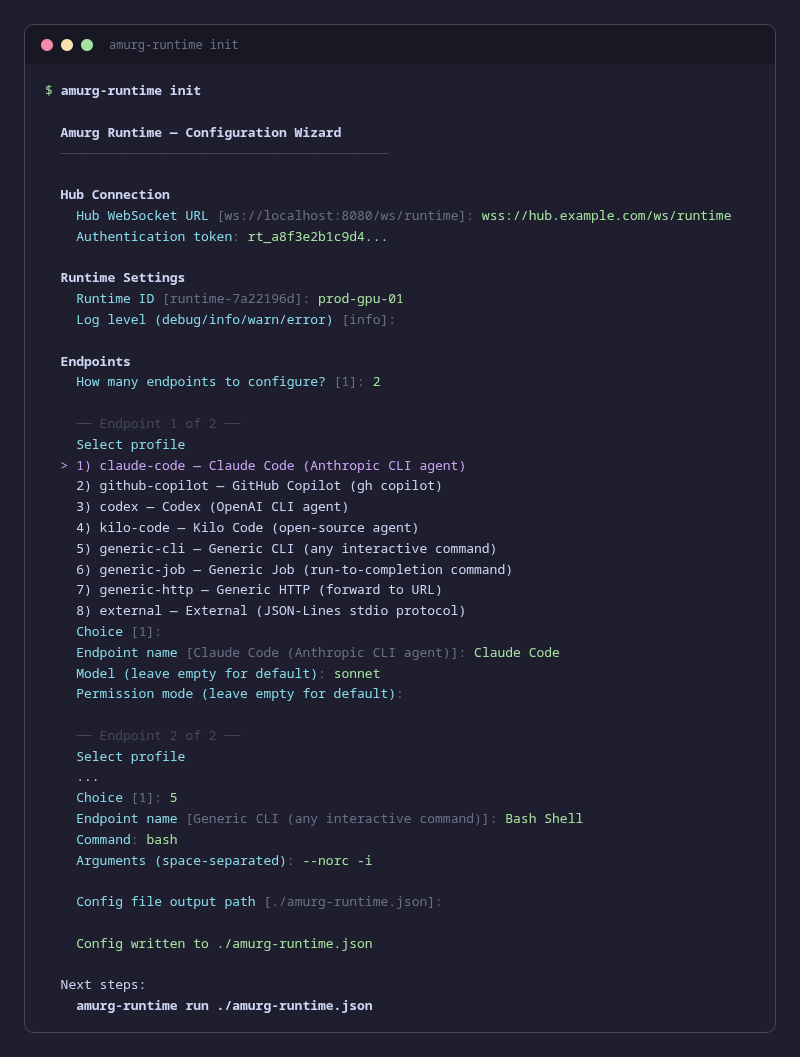
amurg-runtime init walks you through configuring your runtime interactively. It asks for the hub connection details, runtime identity, and agent definitions, then writes a production-ready JSON config file.
The wizard supports all 8 adapter profiles — Claude Code, GitHub Copilot, Codex, Kilo Code, generic CLI, generic job, generic HTTP, and external — with profile-specific prompts for each.
Options:
| Flag | Description |
|---|---|
--output, -o | Output path for the config file (default: ./amurg-runtime.json) |
--systemd | Also generate a systemd unit file for running as a service |
Hub Setup Wizard
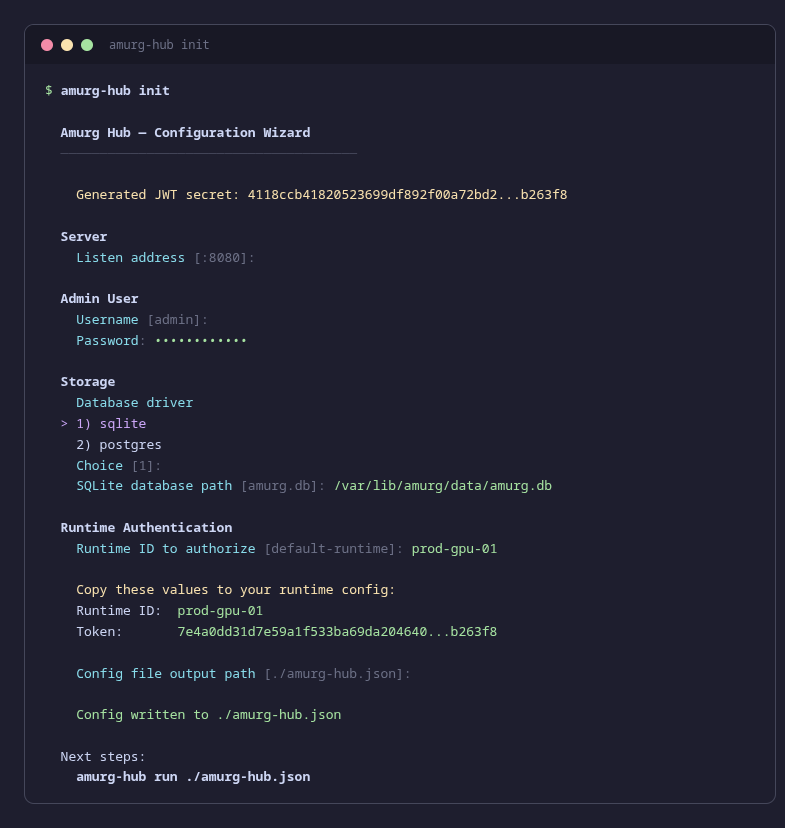
amurg-hub init generates a hub configuration with secure defaults. It auto-generates a JWT secret, prompts for admin credentials, chooses a storage driver, and creates an initial runtime token.
Secure by Default
The hub wizard auto-generates cryptographically random secrets for the JWT signing key and runtime tokens. The config file is written with 0600 permissions (owner-readable only).
CLI Reference
amurg-runtime
amurg-runtime init [flags]     # interactive setup wizard
amurg-runtime run [config]     # start the runtime (foreground)
amurg-runtime start [config]   # start the runtime as a daemon
amurg-runtime stop             # stop the background runtime
amurg-runtime status           # show runtime status (running/stopped, PID, config)
amurg-runtime logs [-f] [-n N] # tail runtime logs
amurg-runtime agents           # list configured agents
amurg-runtime agents add       # interactively add a new agent
amurg-runtime agents remove <id>  # remove an agent by ID
amurg-runtime config show      # display current config (token masked)
amurg-runtime config edit      # open config in $EDITOR
amurg-runtime version          # print version

# Config path precedence: positional arg > --config flag > default
amurg-runtime run ./my-config.json
amurg-runtime run --config ./my-config.json
amurg-runtime run              # uses ./runtime-config.json
amurg-hub
amurg-hub init [flags]         # interactive setup wizard
amurg-hub run [config]         # start the hub
amurg-hub version              # print version

# Config path precedence: positional arg > --config flag > default
amurg-hub run ./my-config.json
amurg-hub run --config ./my-config.json
amurg-hub run                  # uses ./hub-config.json
Build from Source
If you prefer building from source instead of using pre-built binaries:
git clone https://github.com/amurg-ai/amurg.git
cd amurg
make build

# Binaries are in ./bin/
./bin/amurg-runtime init
./bin/amurg-hub init
Requirements
Building from source requires Go 1.25+ and Node.js 20+ (for the UI). The install script downloads pre-built static binaries with no dependencies.